
Turning an Arduino into a Logitech Wireless Mouse
2 February 2017
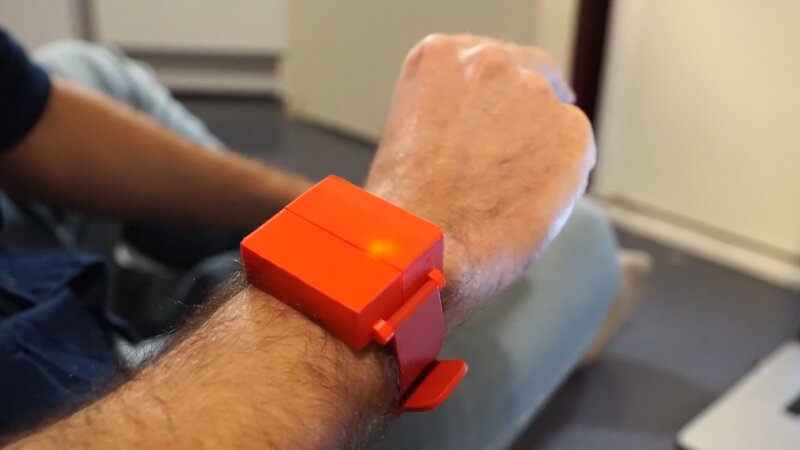
A 2 euros radio module, a Logitech Unifying dongle and a mouse you wear on your wrist : our last year project at Supélec
Updates
- [10 March 2018] This project was featured on Hackaday : WIRELESS PROTOCOL REVERSE ENGINEERED TO CREATE WRIST WEARABLE MOUSE
This winter, for our last year project at Supélec, Guilhem and I had to build a wireless 3D mouse : you move your arm, the cursor moves on the screen. I took care of the wireless part and Guilhem of the motion sensing.
Why not just make our own dongle ?
The obvious way to do it is to make two boards : one in the mouse and one plugged into the computer. Our first version did exactly that, with an mbed board and an nRF24L01 radio module acting as a USB mouse. It worked, but it was boring. Everybody already has a Logitech dongle plugged into their computer, so why not talk to it directly ?
Opening a Logitech keyboard
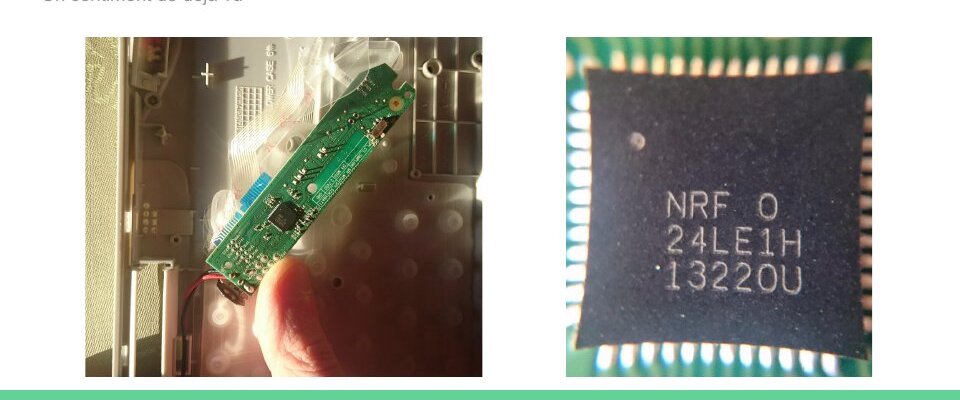
I had a Logitech wireless keyboard (the one with the touchpad) at home, so I opened it to see which radio it used. The chip is an nRF24LE1 from Nordic : basically an nRF24L01, the 2 euros module everybody uses with Arduinos, with a microcontroller in the same package. That was great news : it meant we could speak the same “language” as the dongle with cheap off the shelf modules.
Listening to the pairing
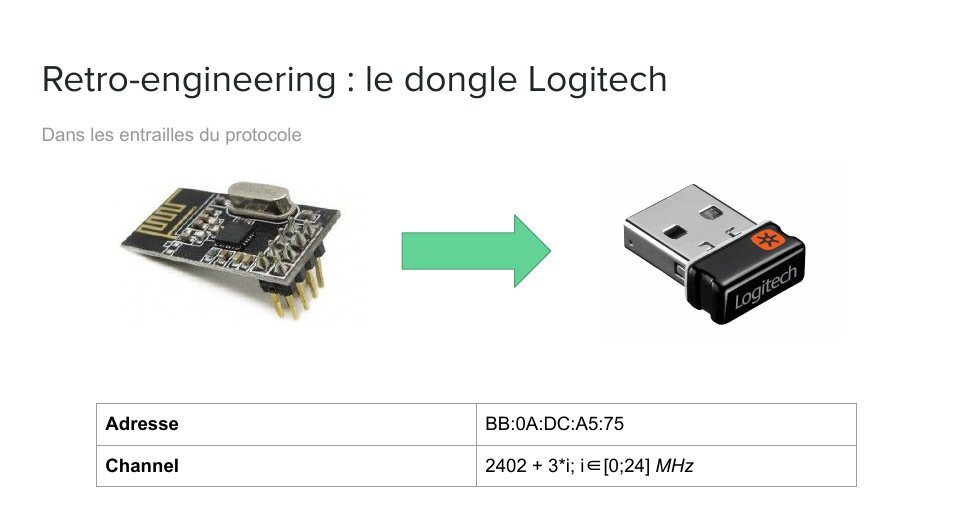
With an nRF24 in sniffing mode we found the address the dongle listens to when it is in pairing mode, and the channels it uses : 25 channels, 3 MHz apart starting at 2402 MHz.
Then we put the dongle in pairing mode with the Unifying software, paired the keyboard and recorded everything. The pairing is made of 4 packets sent by the device. Each one starts with a packet type and the step number of the pairing, and ends with a checksum. The checksum turned out to be simple : add up all the bytes and negate the result.
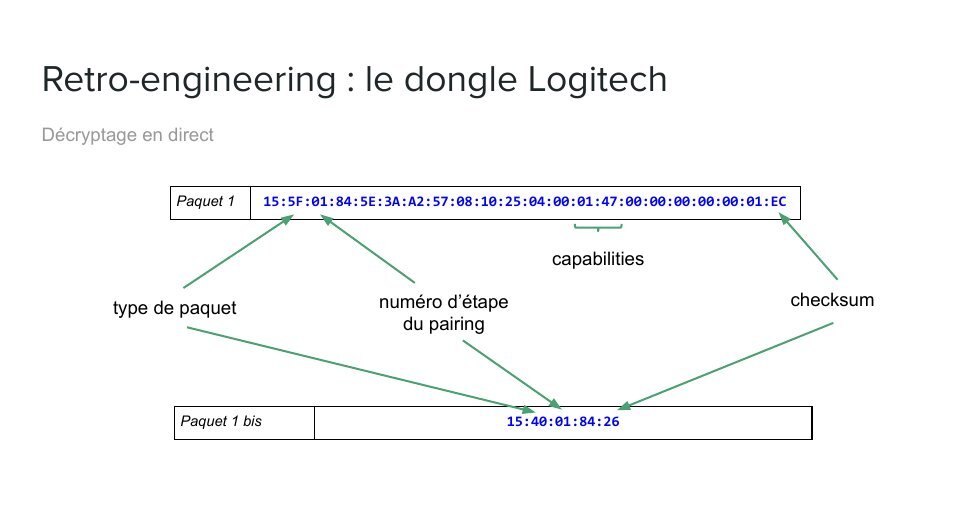
The tricky part was the answers. The dongle never sends packets of its own : it replies inside the acknowledgement of our packets (the nRF24 “ACK payload” feature). So the device sends a packet, then a short one just to give the dongle a chance to reply, and reads the answer in the ACK. In the first answer the dongle gives the new address the device must use from now on.
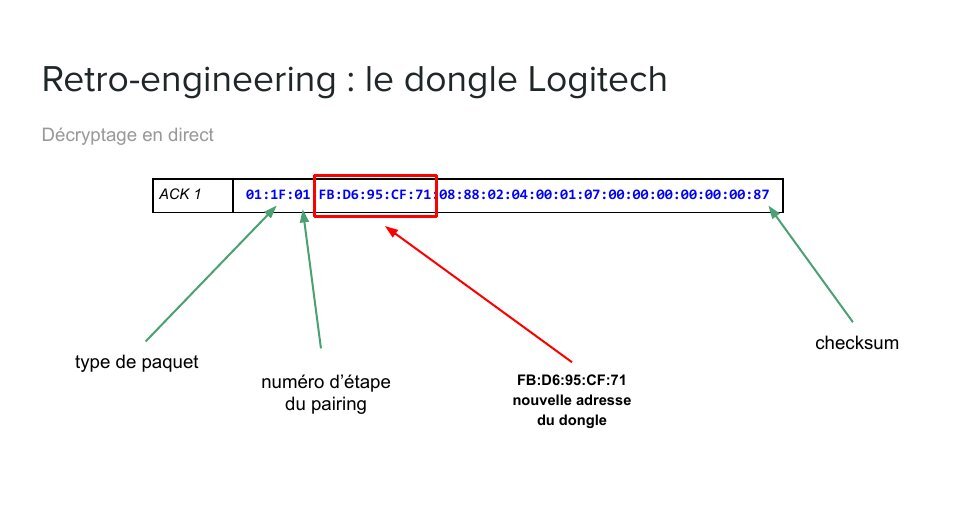
Once we replayed these 4 packets from an Arduino, with the new address and the right checksums, the Unifying software was happy. It even told us our Arduino was a keyboard, since we had copied the keyboard’s packets !
Moving the mouse
Once paired, moving the mouse is easy. A movement packet holds the state of the buttons, the X and Y velocity, the vertical and horizontal scroll and, of course, the checksum.
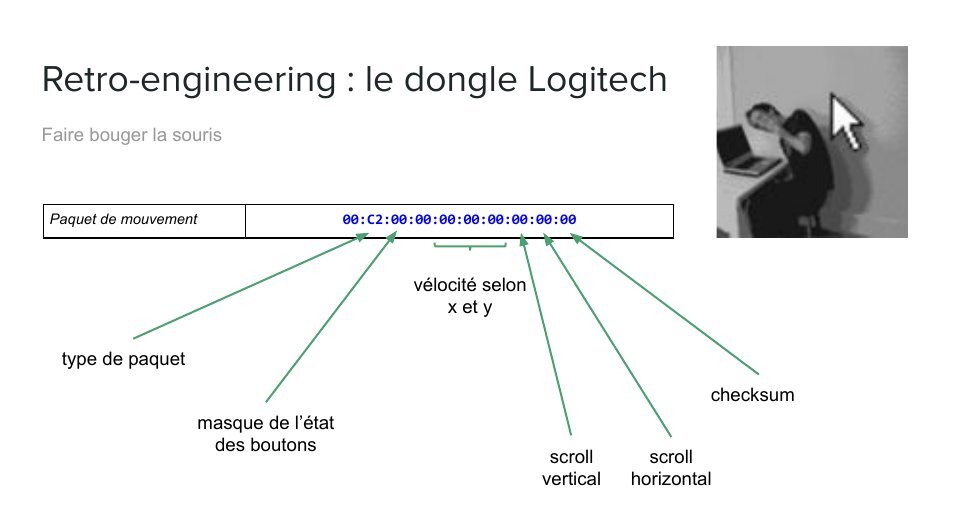
We wrapped all of this in a small Arduino library : begin(), pair(), reconnect() to reuse a previous pairing, then move(), scroll() and click(). The code is on GitHub : ronangaillard/logitech-mouse. The example makes the cursor draw circles on the screen.
The 3D mouse
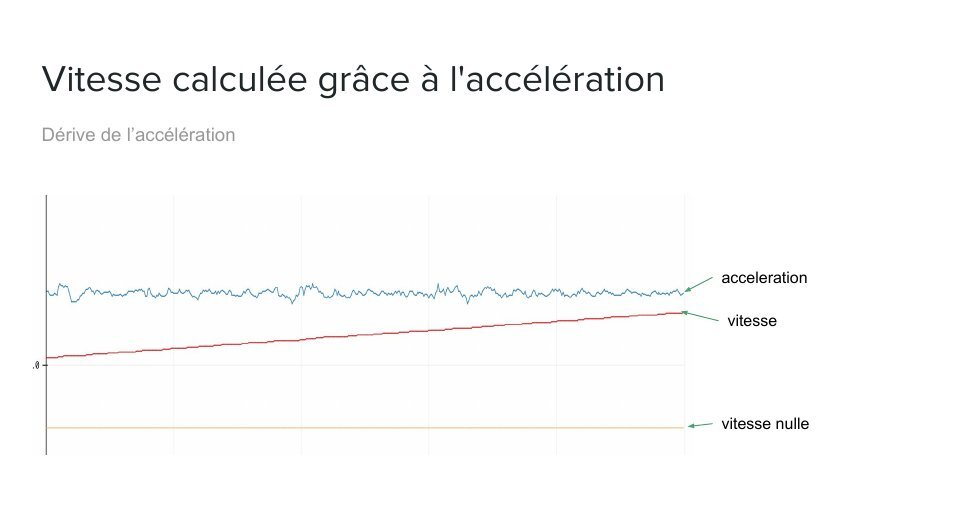
For the motion part Guilhem used an MPU6050, a 6 axis IMU that costs less than 2 dollars. The first idea was to integrate the acceleration to get the speed of the arm. It did not work : the small error on the acceleration adds up and the speed drifts away, even when the sensor does not move.
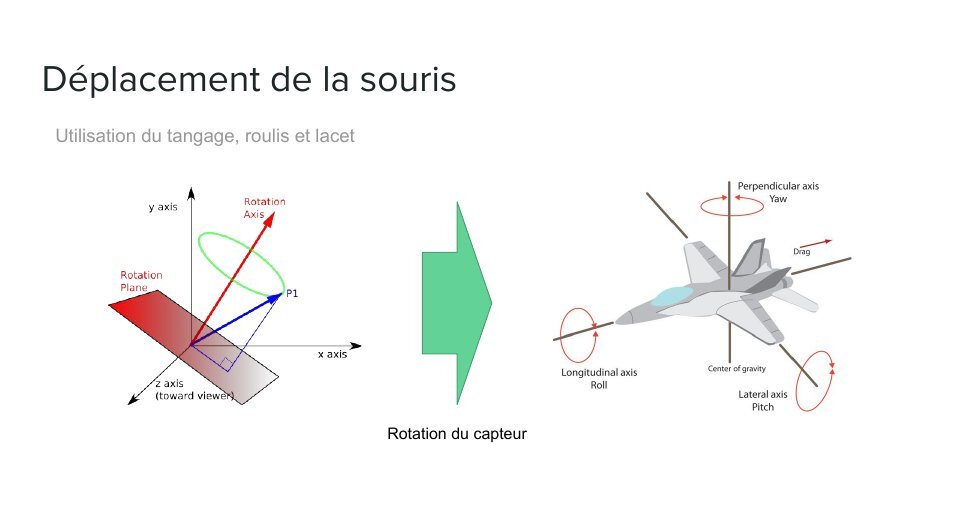
So we switched to the orientation of the sensor, computed by the MPU6050 itself. The yaw moves the cursor horizontally, the pitch vertically, and the roll changes the behaviour (right click, scrolling). A click is detected when you tap your fingers : it makes a very characteristic high frequency signal on the 3 axes.
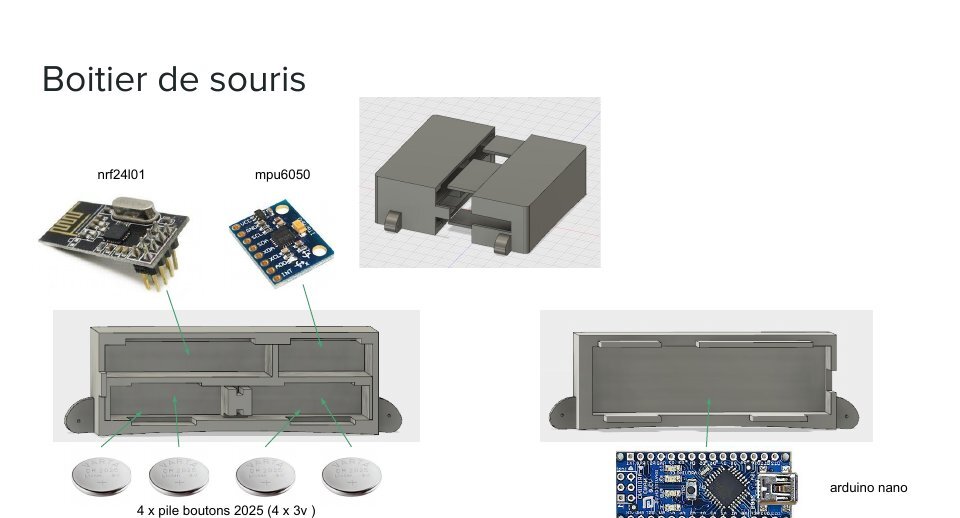
Everything fits in a 3D printed case : an Arduino Nano, the nRF24L01, the MPU6050 and 4 CR2025 coin cells.
And here it is in action :
Of course Bluetooth would have been simpler, but the point of the project was to build the whole communication chain ourselves. And having an Arduino that can pair with any Logitech dongle is quite fun.
The presentation we gave at the end of the project (in French) is here.